Contact sheets for photographers
The whole shoot, on one sheet.
Drop in a folder of RAWs and get a numbered, captioned, print-ready proof sheet in seconds. Nothing is uploaded.
Free for 48 frames · No account needed
- 01 Drop the folderRAW, JPEG or HEIC, with ratings
- 02 Pick a layoutGrid, captions, paper and branding
- 03 Export the PDFPrint-ready at up to 600 dpi
Reads RAW files from
- Canon
- Nikon
- Sony
- Fujifilm
- Olympus
- Panasonic
- Pentax
- Leica
Contact sheets explained
One page. Every frame of the shoot.
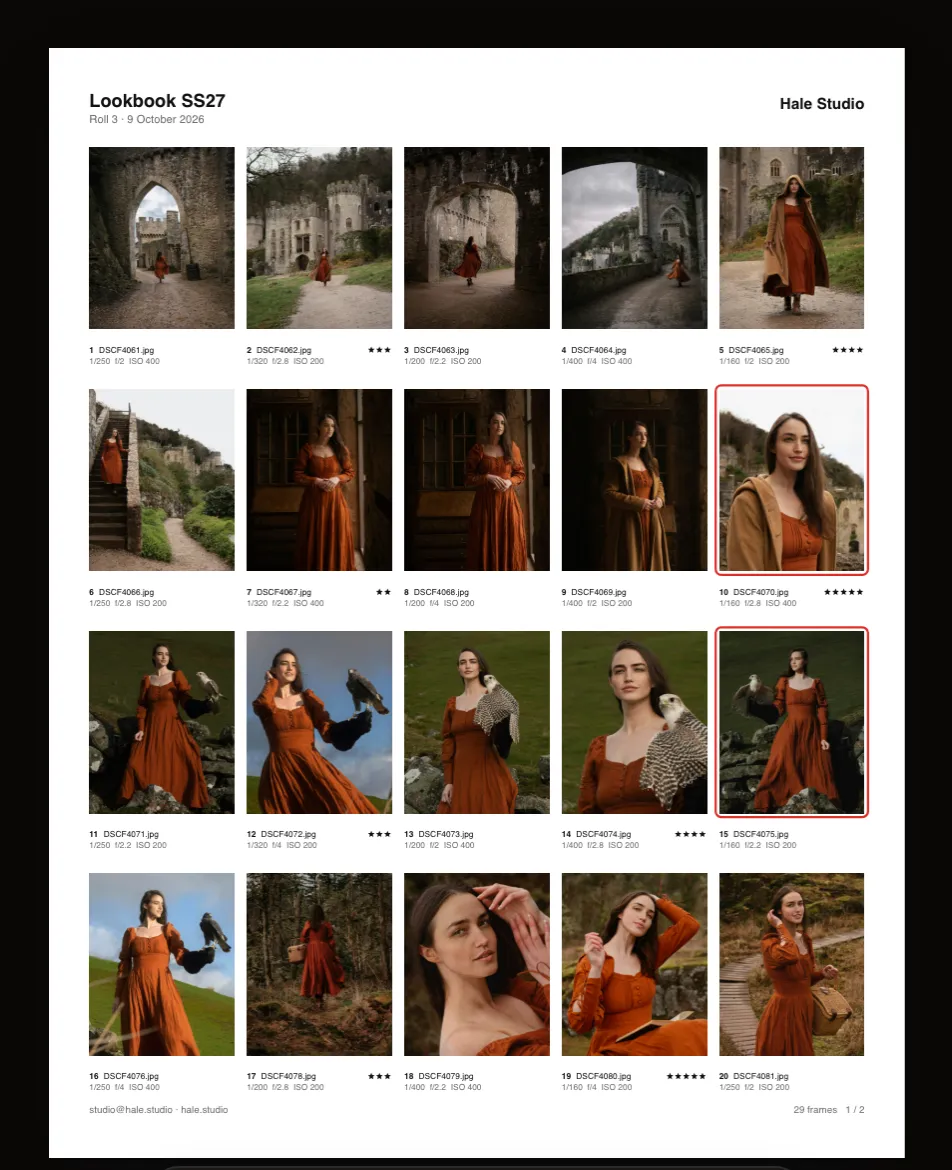
A contact sheet is a page of small, numbered thumbnails of every frame from a shoot. It began in the darkroom, where negatives were pressed onto photo paper, and it is still the quickest way to see a whole take and talk about it precisely.
Drop in a folder and each frame gets its number, filename and, if you like, star rating and exposure. Clients reply with numbers, editors mark up the print, and the sheet files neatly with the shoot. Read the full guide.
Review a shoot
See the whole take at once and spot the strongest frame in every burst.
Get client selects
Clients reply with frame numbers instead of describing pictures.
Print and archive
File a printed index with the drive or the negatives.
Layouts
One editor, every kind of sheet.
Digital shoots, film scans and comp cards share the same editor, and every one comes out at the exact print size.
1/250 · f/2 · ISO 200 · 56 mm · Fujifilm X-T5
Contact sheets
Numbered, captioned proofs from RAW, with stars and rejects read from your .xmp sidecars.
Film contact prints
35mm, half frame, 120 and 4 × 5, with sprocket holes and edge numbers.
ANNA KOVAC
North Models · New York
Comp cards
Front and back at 5.5 × 8.5 in or A5, with bleed, crop marks and stats.
From card to client
Straight off the card. Ready to send.
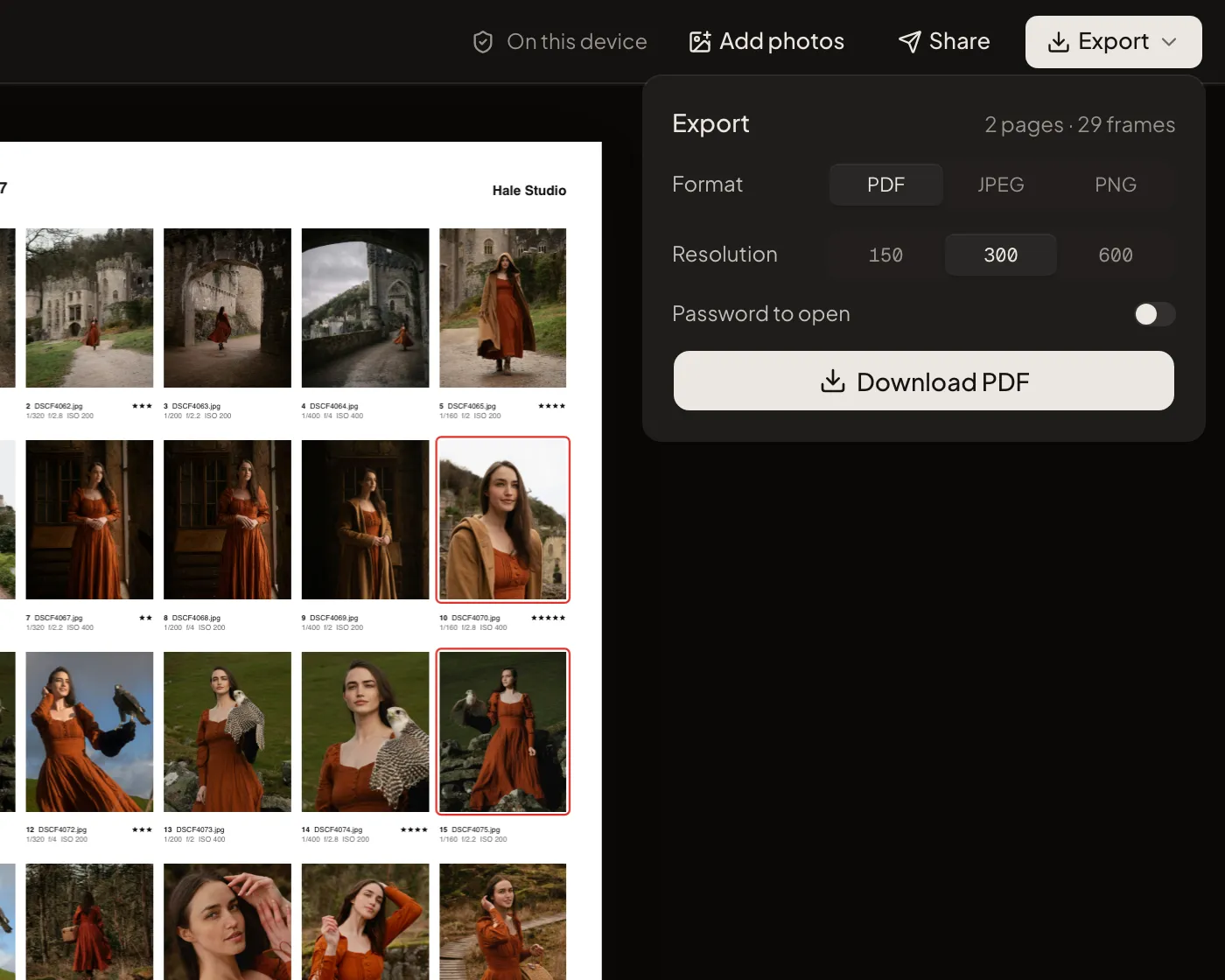
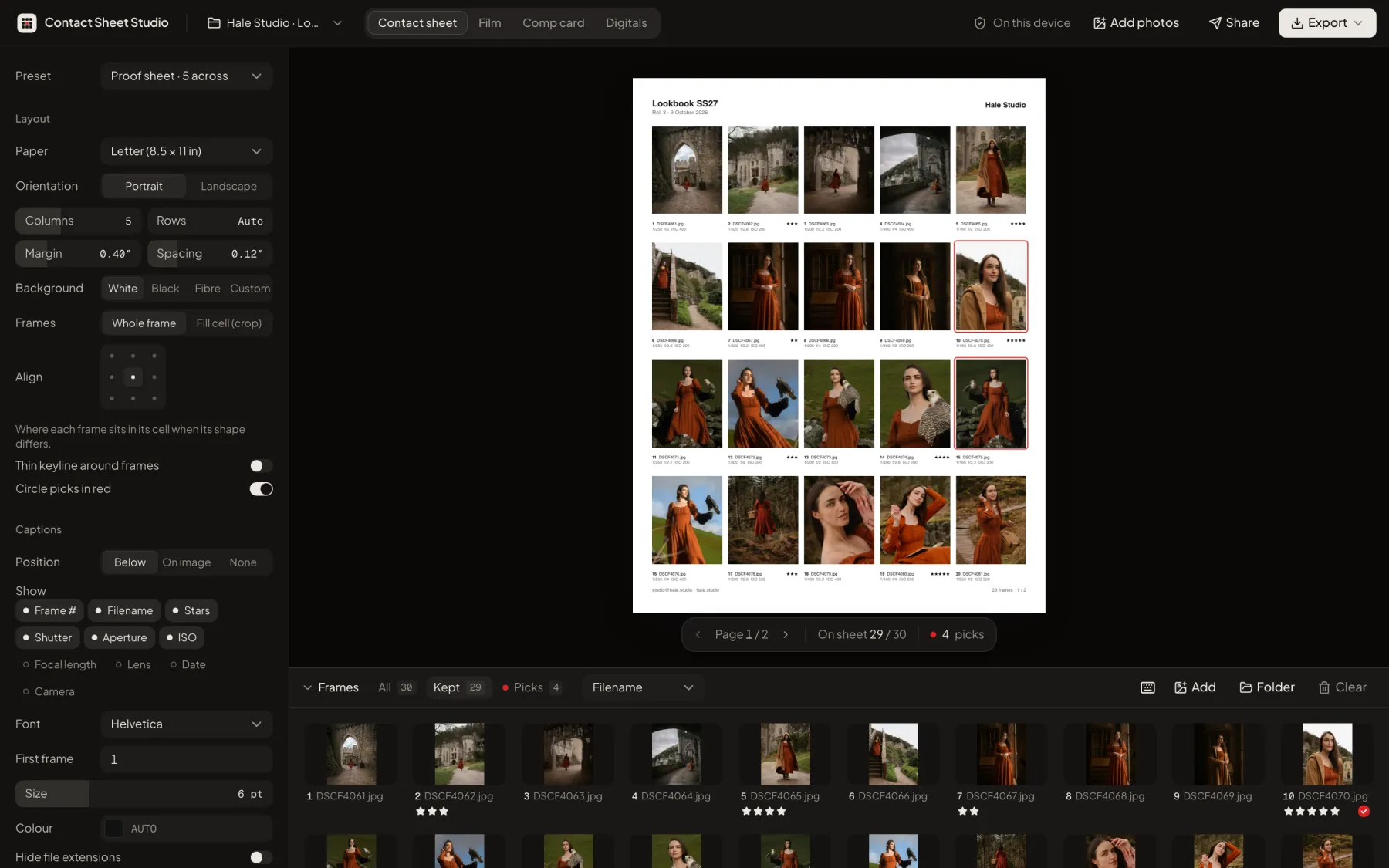
Drop the folder you just copied off the memory card. RAW previews, Lightroom ratings and exposure data come with it, so the sheet is ready before you have made a coffee.
- Ratings come with the files. Stars and rejects from .xmp sidecars, so you can hide rejects in one click.
- Big shoots stay fast. Hundreds of RAW files load in seconds, decoded in parallel on your computer.
- Numbered across every page. Frame 214 is frame 214, on page 1 or page 8.
Features
Built for working photographers.
Everything you need to go from a folder of files to a sheet a client can act on, and nothing you have to learn.
Reads what you shoot
RAW from Canon, Nikon, Sony, Fujifilm, Olympus, Panasonic, Pentax and any DNG, plus JPEG, HEIC, TIFF and WebP.
Picks and rejects
Star ratings from Lightroom, Capture One or Bridge sidecars. Hide rejects, show only picks, or circle picks in red.
Captions clients understand
Frame numbers they can reply with, plus filename, stars, exposure, lens and date when you want them.
Print-ready PDF
Exact paper size with selectable text, or a JPEG or PNG per page, at 150, 300 or 600 dpi.
Your branding
Logo, studio name, contact line and colour on every page, with our credit line removed.
Reorder and reframe
Drag frames into order and drag inside a cell to change the crop.
Pick up where you left off
Drop the same folder again and your order, crops and settings come back.
Any paper
Letter, A4, 8 × 10, 11 × 14, A3, Tabloid or a custom size, portrait or landscape.
Nothing uploaded
Files are decoded and exported on your computer, so work under NDA stays there.
Use cases
Made for every kind of shoot.
Layouts and captions tuned for how each kind of client actually chooses pictures.
Weddings and events
Hundreds of frames become a tidy, numbered PDF the couple can choose from on the sofa.
Portraits and headshots
Four across on Letter keeps faces large enough to compare expressions.
Fashion and editorial
Dense 6 × 8 grids with exposure data for editors and art directors.
Product and e-commerce
Filenames under every frame, so the client's picks map straight to SKUs.
Film photographers
Scans laid out as real strips, with sprocket holes and edge numbers, on black.
Models and agencies
Comp cards at print size and digitals sheets labelled the way agencies ask.
Compare
Faster than Photoshop. More private than uploading.
Photoshop's Contact Sheet II and upload-based web tools both make a grid of thumbnails. Here is where they differ.
| Feature | Contact Sheet Studio | Photoshop Contact Sheet II | Upload-based web tools |
|---|---|---|---|
| Nothing to install | |||
| Photos stay on your computer | |||
| Reads RAW files | Varies | ||
| Uses your star ratings | Rarely | ||
| Frame numbers and exposure captions | Filename only | Varies | |
| One multi-page PDF | |||
| Film strips and comp cards | |||
| Free to start | Varies |
Already use Photoshop or Lightroom? See Contact Sheet II step by step and contact sheets in Lightroom Classic.
Private by design
Your photos never leave your computer.
Files are decoded, laid out and exported inside your browser. There is nothing to upload and nothing to wait for, and unreleased work stays private. Sharing a proofing link sends only small watermarked proofs, and only when you choose to.
- originals uploaded
- 0
- originals uploaded
- RAW file types
- 13
- RAW file types
- dpi exports
- 600
- dpi exports
Guides
Learn the craft, then skip the busywork.
Practical guides to printing, sharing and getting picks back, from darkroom habits to Lightroom.
Basics
What Is a Contact Sheet? Meaning, History and Uses
What a contact sheet is, why it is called that, how photographers used them in the darkroom and how they are used today for culling, client selects and archives.
6 min read
Workflow
How to Print a Contact Sheet: Paper, Grid, Resolution and Settings
Print a sharp, readable contact sheet: which paper size and grid to choose, what resolution to export at, the print dialog settings that matter and which paper to use.
7 min read
Basics
Contact Sheet Templates: 8 Layouts and When to Use Each
Eight contact sheet layouts with their grid sizes and captions: client selects, proof sheets, editorial 6 × 8, archive 8 × 10, darkroom black, fibre paper and photo grids.
6 min read
Workflow
How to Get Clients to Pick Their Favourite Photos (Without an Email Thread)
A simple proofing workflow: cull first, number every frame, send a contact sheet with clear instructions and a deadline, and turn the client's reply into a set of files.
7 min read
Software
How to Make a Contact Sheet in Photoshop (Contact Sheet II)
Step-by-step instructions for Photoshop's Contact Sheet II: source folder, page size, columns and rows, captions and saving a PDF, plus its limits and a faster alternative.
6 min read
Software
How to Make a Contact Sheet in Lightroom Classic
Make a contact sheet in Lightroom Classic's Print module: choose a contact sheet template, set the grid and cells, add filenames and page info, and export a PDF or JPEG.
6 min read
Pricing
Free to start. Pay when it goes to print.
Every layout is free. Upgrade for print resolution, unbranded sheets and unlimited frames, by the job or by the month.
Free
$0 forever
Every layout, up to 48 images, 150 dpi.
Shoot pass
$6.99 one-time, 7 days
Everything in Pro for a single job.
ProMost popular
$12 per month
Unlimited images, 300/600 dpi and your branding.
Try it with your own photos.
Drop a folder here and the editor opens with your shoot already laid out.
Drop a shoot to make a contact sheet
RAW, JPEG, HEIC and TIFF, with ratings from .xmp sidecars. Everything stays on this computer.
Open the editor without photosFrequently asked questions
Ready when the shoot is.
Free to start. Upgrade for 300 dpi exports, your branding and unlimited frames.